Grip Says
Grip Says
Grip Says is a prototype built around a simple question:
What if every object had to be held differently?
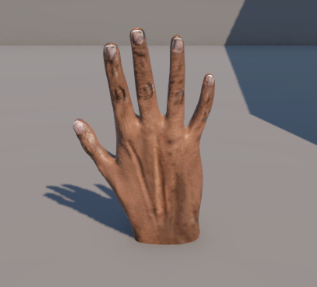
Instead of pressing a single interaction key, players control each finger individually using five dedicated keyboard keys. Different objects require different hand gestures, encouraging players to naturally think about how each object should be held.
Unlike traditional interaction systems, success depends on choosing the correct grip rather than simply clicking on an object.
The game was developed as a prototype to explore alternative interaction mechanics using only a keyboard and mouse.
Controls
Mouse
Move Mouse
Move the hand across the table.
Mouse Wheel
Raise or lower the hand.
Hold Middle Mouse + Move Mouse
Rotate the wrist.
Finger Controls
Each finger has its own dedicated keyboard key.
| Finger | Key |
|---|---|
| Thumb | V |
| Index | D |
| Middle | W |
| Ring | A |
| Pinky | Left Shift |
Tutorial
Welcome to Grip Says!
Your goal is to identify and pick up the correct object using the appropriate hand gesture.
Step 1
Move the hand around the table using your mouse.
Use the mouse wheel to raise and lower the hand.
If needed, hold the middle mouse button and move the mouse to rotate your wrist.
Step 2
Each finger is controlled independently.
Use the five dedicated keys to curl individual fingers and create different hand gestures.
Different objects require different grips.
For example:
Apple → Power Grip
Coin → Precision Pinch
Key → Tripod Grip
Mug → Handle Grip
Step 3
When the correct object appears on screen, form the appropriate gesture before attempting to pick it up.
If the gesture is incorrect, the object will not attach to your hand.
Step 4
Carry the object into the highlighted assessment zone.
Once inside the zone, a five-second assessment timer will begin.
Keep the object inside the area until the timer reaches zero.
Removing the object before the timer finishes cancels the assessment.
Step 5
If the correct object is successfully assessed, it will automatically move to the completed collection area.
The next object will then be displayed.
If an incorrect object is placed inside the assessment area, the game ends immediately.
Tips
- Bigger objects are generally easier to pick up.
- Small objects require careful positioning.
- Rotate your wrist to make difficult grabs easier.
- Each object has been designed around a specific grip, so experiment if you're unsure.
Features
- Five individually controlled fingers
- Mouse-controlled 3D hand movement
- Wrist rotation using the middle mouse button
- Multiple gesture recognition system
- Different grip requirements for different objects
- Simon Says inspired gameplay
- Smooth object grabbing and placement
- Physics-based interaction for natural movement
Objects
🍎 Apple
Requires a Power Grip
A large object that must be wrapped with the entire hand.
🪙 Coin
Requires a Precision Pinch
Hold it using only the thumb and index finger.
🔑 Key
Requires a Tripod Grip
Use the thumb, index and middle finger together.
☕
Requires a Handle Grip
Grip the mug naturally by its handle.
Objective
The game tells you which object to grab.
Find the correct object, use the appropriate hand gesture, place it inside the assessment area and hold it there until the timer finishes.
Complete all objects successfully to win.
Selecting the wrong object immediately ends the game.
Development
Engine: Unity 6
Platform: Windows
Control Method: Keyboard + Mouse
Duration: Prototype
Credits
Developed by Aditya Gupta
Created as part of a Game Development Internship Assignment exploring alternative interaction mechanics using five dedicated input keys.
Leave a comment
Log in with itch.io to leave a comment.